Key Takeaways
- Utilize the Consumer 1,500 Rule and the Giniloh Strategic Decision-Intelligence Engine to remove emotional bias and mathematically determine if a repair is more cost-effective than purchasing a new device.
- Evaluate the total cost of professional repairs, which can range from $150 for budget models to over $800 for premium laptops, against the machine’s current depreciated market value to avoid the sunk cost fallacy.
- Consider the technical complexity of your specific model, as modular laptops like the Lenovo ThinkPad are significantly easier to repair than fused designs like the MacBook Pro or Dell XPS.
- Recognize that physical display issues such as liquid crystal leaks, dead pixels, and internal fractures are structural failures that require hardware replacement rather than software troubleshooting.
- Explore third-party repair shops or DIY kits to potentially reduce costs by 30% to 50%, though users must weigh these savings against the technical risk of damaging integrated components.
The High Cost of Hardware Failure: A Personal Perspective
I recently faced a frustrating hardware crisis when the screen on my MacBook Pro M1 Max—a powerhouse equipped with a 2TB HD and 32GB of RAM—suddenly broke. After researching my options to replace laptop screen components, I found that an Apple self-repair kit would cost $600, while professional service through Apple was quoted at $900.
Because I needed a functioning machine immediately for my workflow, I chose to buy a new basic 16-inch M4 instead. While the M1 Max was a top-tier machine, I am happy with the performance of the new M4. This experience highlights the difficult financial decisions users face when premium hardware fails.
The following table summarizes the financial dilemma I encountered, which is typical for many high-end laptop owners today:
Common Signs Your Laptop Screen Needs Replacement
Identifying Physical Display Damage
Cracks, Fractures, and Internal Leakage
Identifying physical damage to a laptop display typically requires minimal technical expertise, as the primary symptoms are often visible to the naked eye. When a display panel sustains structural failure, it is often the result of direct impact or excessive torsional stress.
These visual artifacts serve as definitive indicators that the hardware requires professional replacement. These manifestations commonly include jagged, multi-directional lines resembling spiderwebs or “lightning strikes.”
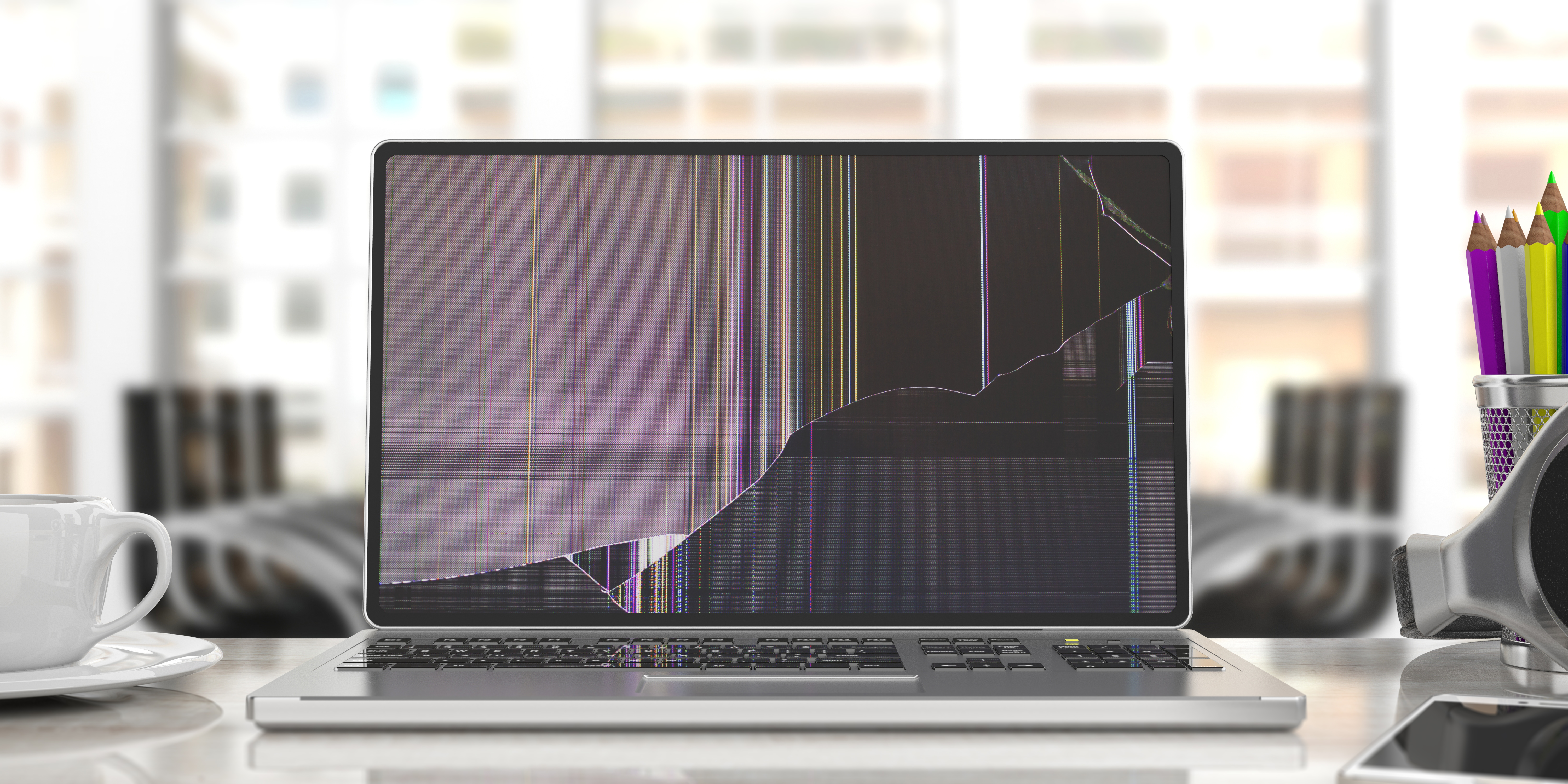
Such patterns signify a breach in the glass substrate or the underlying thin-film transistor (TFT) layer. Even if the outer glass feels smooth, internal fractures can disrupt the electrical paths necessary for image reproduction.
Liquid Crystal Failures and Dead Pixels
Beyond surface-level fractures, internal damage to the liquid crystal layer often presents as localized “ink blots” or dark, amorphous spots. These spots tend to expand over time as the compromise spreads.
This occurs when the seal containing the liquid crystals is breached, allowing the fluid to pool and obscure the backlight. Users may also observe clusters of dead pixels—individual sub-pixels that fail to receive power or respond to signals.
Because these issues stem from the physical destruction of internal components, they cannot be rectified through software updates . The financial implications of such damage are significant and often catch consumers off guard.
The Cost Disparity in Screen Repairs
Reports from consumer forums indicate that official Apple service centers have quoted upwards of $800 for MacBook Pro screen replacements. These costs vary depending on the specific model, year, and the complexity of the assembly.
Conversely, independent sourcing of replacement panels can often reduce these costs by 50% or more. Please note that for apple MackBooks, using non apple supplied screen spare parts may leave your laptop with less functionality than the original . This highlights a significant disparity between manufacturer-authorized repairs and third-party solutions .
Modern laptop displays are engineered with multiple layers, including a backlight unit, a rear polarizer, and a TFT glass substrate. In many contemporary “thin-and-light” designs, these layers are fused into a single, inseparable assembly.
Consequently, even a minor fracture in one layer often necessitates the replacement of the entire display unit. The components are no longer modularly serviceable in most modern devices, contributing to high repair costs.
Visual Instability and Artifacts
Persistent Flickering and Vertical Lines
In cases where the display remains physically intact without visible cracks, users may find persistent flickering. The appearance of static vertical or horizontal lines is another common symptom of internal failure.
These issues are often more difficult to diagnose than physical fractures because their origins are less obvious. They may stem from a failing display cable or a malfunction in the panel’s timing controller.
DIY Screen Replacement: A Step-by-Step Guide
Technical Procedures for Laptop Display Replacement
Accidental damage to Liquid Crystal Displays (LCD) remains one of the most frequent hardware failures in the mobile computing industry. Whether caused by a foreign object left on the keyboard or a structural impact, a cracked screen often renders a device unusable.

Despite high service quotes, the actual hardware components are frequently available to the public for a fraction of the manufacturer’s price . For many users, performing a manual replacement has emerged as a viable alternative.
This path requires only basic tools, a steady hand, and strict adherence to specific safety protocols. The transition to a “Do-It-Yourself” (DIY) approach is supported by the growing availability of OEM-grade parts.
The Economics and Feasibility of Self-Repair
Before beginning a repair, it is necessary to evaluate the financial and technical feasibility of the project. Professional repair services often include significant labor markups and administrative fees.
In contrast, the third-party market for replacement components has become highly competitive. Suppliers such as ScreenCountry offer replacement panels starting at approximately $35, depending on the technology .
Technically, laptop screen replacement is categorized as a moderate-level repair. Unlike modern smartphone repairs, most laptops still utilize mechanical fasteners and pressure-fit clips rather than heavy industrial adhesives.
Repair or Replace? A Cost-Benefit Comparison
The Economics of Display Failure
The moment of impact is usually marked by a sharp, mechanical crunch. Regardless of the cause, the resulting fracture across an LCD or OLED panel creates an immediate financial dilemma for the owner.
For most users, the sight of a “spiderweb” crack triggers a binary choice: pay for a repair or decommission the device. This decision is governed by a shifting intersection of hardware costs and labor rates.
Industry data shows that screen repair costs typically fall within a window of $150 to $500 for the majority of consumer laptops. This variance depends heavily on the specific panel technology used.
Market Dynamics: OEM vs. Independent Repair
The laptop repair landscape is strictly divided between OEM services and the independent repair market. Independent shops frequently offer pricing that is 30% to 50% lower than manufacturer quotes.
These facilities often bypass high markups by sourcing high-quality aftermarket parts. This allows them to offer competitive rates without necessarily sacrificing visual quality or performance.
The Variability of Display Repairability
The technical feasibility of a repair is dictated primarily by the manufacturer’s design philosophy. The distinction between a modular unit and a fused assembly can result in a price differential of several hundred dollars.
Certain manufacturers prioritize modularity, utilizing standardized fasteners and accessible internal layouts. Conversely, other brands employ high-strength adhesives that complicate independent repair efforts.
Technicians often categorize laptops into “serviceable” and “disposable” tiers. In modular designs, a screen can be swapped in under thirty minutes, whereas integrated designs require hours of precision work.
The Dell XPS Series: Engineering Precision
Dell’s XPS line represents a segment where aesthetic considerations often supersede ease of maintenance. The “InfinityEdge” displays minimize bezel thickness but necessitate a fused construction.
Technicians are often unable to replace the LCD panel in isolation; instead, the entire upper display assembly must be swapped. This requires a high degree of technical proficiency and patience.
The risk of collateral damage to internal ribbon cables or the Wi-Fi antenna array is substantial for untrained users . Even a minor misalignment during reassembly can degrade wireless performance.
The Data-Driven Decision: The Consumer 1,500 Rule
The Cracked Screen Dilemma
In the modern economy, a laptop has become a vital utility for professional labor and education. When the screen cracks, the workflow stops, creating an immediate crisis for individual owners and IT departments.
A repair quote exists in a vacuum unless it is compared to the device’s depreciated market value. Without context, a repair can become a victim of the sunk cost fallacy.
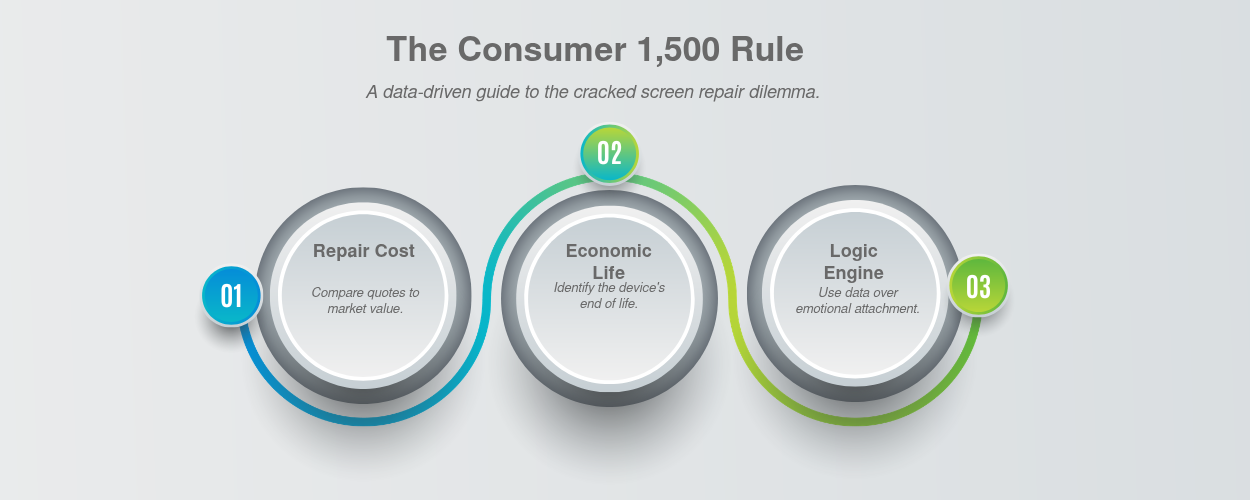
The Giniloh Decision Engine removes the guesswork by using a simple rule called the Consumer 1,500 Rule. It multiplies the age of your device by the cost of the repair to calculate an “Asset Debt Index.” If that number crosses a threshold of 1,500 for electronics like laptops and phones, the math says you are throwing good money after bad, and it is time to replace it.
Decision Intelligence Frameworks
To solve this, you can use decision-intelligence frameworks like the Giniloh Strategic Decision-Intelligence Engine. This system strips away emotional attachment to provide a data-driven path.
Applying mathematical rigor determines when a device has reached its economic “end of life.” This shift reflects a broader trend in personal finance and corporate asset management.
Modern devices are increasingly difficult to fix due to proprietary manufacturing and fused panels. A single miscalculated repair on an aging machine can result in a total loss if another part fails shortly after.
Using the Giniloh Strategic Decision-Intelligence Engine
The Calculus of Device Repair
Let’s illustrate this with process with a real life example.
Your 4-year-old laptop has a cracked display. The manufacturer quotes $450 for a screen replacement.The Giniloh Decision Engine removes the guesswork by using a simple rule called the Consumer 1,500 Rule. It multiplies the age of your device by the cost of the repair to calculate an “Asset Debt Index.” If that number crosses a threshold of 1,500, the math says you are throwing good money after bad, and it is time to replace it.
Step-by-Step App Process
To run this scenario in the Giniloh app, you simply navigate to the Repair vs Replace tab at the top of the screen and select the Consumer Electronics (Phones, Laptops) option under Asset Classification. From there, use the sliders or text boxes to set the Asset Age to 4 years and enter the Immediate Repair Quote of 450. The engine instantly multiplies these two numbers behind the scenes (4×450=1,800) and compares the result to its built-in safety limit of 1,500; because your score of 1,800 crosses that threshold, the app delivers a clear REPLACE verdict, proving that putting money into depreciating hardware is a losing bet.
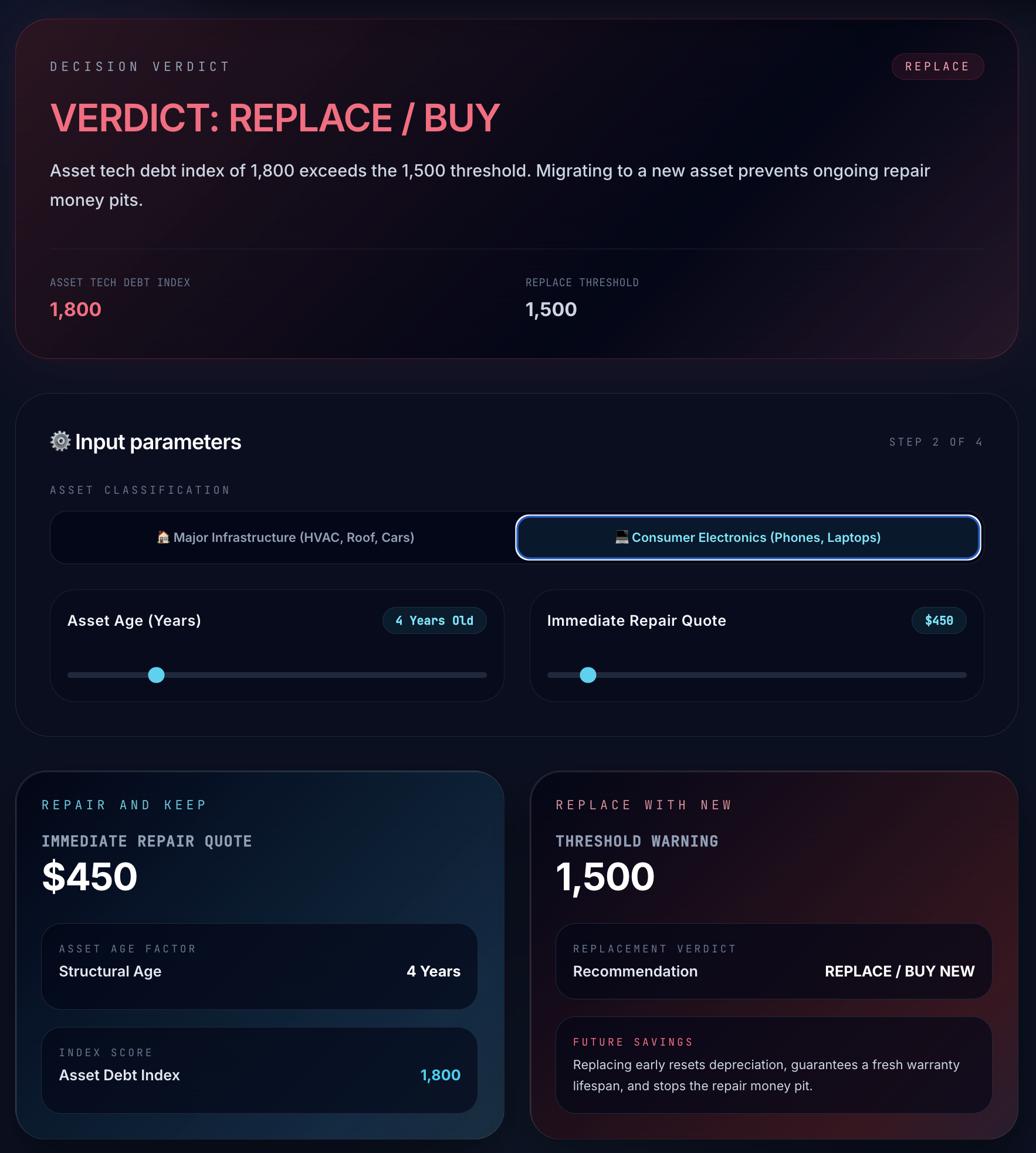
When evaluating repairs, the class of the asset dictates the threshold. For major home infrastructure, a tech debt index below 5,000 makes patching financially sound. However, personal electronics depreciate rapidly. By scaling the threshold down to 1,500 for devices, the engine reveals that spending $450 to patch a 4-year-old laptop is mathematically inefficient. The index score of 1,800 exceeds the limit, indicating that capital is better allocated toward purchasing a new laptop with a fresh lifespan and warranty.
Why replacement cost is not an input in this model?
Under this framework, the original purchase price of the item and the cost to replace it are deliberately omitted. This simplification is a core feature of decision-intelligence modeling, designed specifically to bypass the cognitive biases that often lead to poor financial choices.
The primary bias this rule eliminates is the sunk cost fallacy. When people remember that they paid a premium price for an item years ago, they feel an emotional obligation to keep it alive. In reality, that initial purchase price is a sunk cost that has already been spent and cannot be recovered. By ignoring the original price, the formula prevents you from throwing good money after bad to “protect” an asset whose real-market value has already depreciated to near zero.
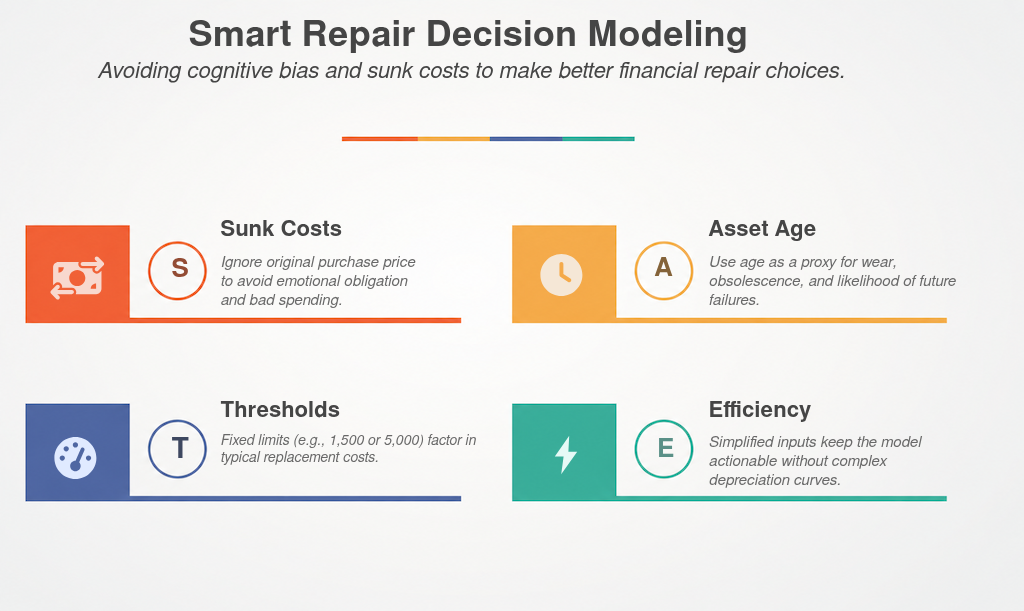
Instead of requiring you to look up complex depreciation curves, the formula uses the age of the asset as a simple proxy for both physical wear and technological obsolescence. As an asset gets older, the likelihood of subsequent failures increases, and its utility drops. A modest repair bill is a great investment for a relatively new machine because you are extending a long remaining lifespan, but that exact same bill is a poor investment on a machine near the end of its life.
Finally, the replacement cost of the item is already implicitly factored into the thresholds themselves. The 1,500 threshold for consumer electronics and the 5,000 threshold for major home infrastructure are derived from the typical cost of purchasing new assets in those categories. By embedding these averages directly into the limits, the calculator keeps the inputs simple and actionable without sacrificing mathematical soundness.Model-Specific Repair Realities: Dell XPS, MacBook, and More
FAQ
How do I know if my laptop screen needs a physical replacement versus a software fix?
Physical damage is characterized by visible cracks, jagged lines, or dark ‘ink blots’ caused by leaking liquid crystals. These structural failures affect the hardware layers and cannot be resolved through software updates or driver resets.
What is the typical cost range for a professional laptop screen repair?
Most consumer laptop repairs fall between $150 and $500, depending on the panel technology. However, premium devices like the MacBook Pro or Dell XPS can see official manufacturer quotes ranging from $700 to over $900.
When does it become more cost-effective to buy a new laptop instead of repairing the screen?
Using the Consumer 1,500 Rule, a repair is often unwise if the cost approaches the depreciated market value of the device. If the machine is several years old, the investment in a new screen may result in a sunk cost if other components fail shortly after.
Is a DIY screen replacement feasible for an average user?
DIY replacement is considered a moderate-level repair because many laptops use mechanical fasteners rather than industrial adhesives. By sourcing third-party components, users can often complete the repair for a fraction of the manufacturer’s service price.
Why are repairs for modern ‘thin-and-light’ laptops so expensive?
Many contemporary designs fuse the backlight, polarizer, and glass into a single, inseparable assembly. This lack of modularity means even a small crack requires the replacement of the entire display unit rather than just the damaged layer.
What causes vertical lines or flickering if there is no visible crack on the screen?
These symptoms typically indicate a failure in the display’s timing controller or a damaged internal ribbon cable. While the exterior glass is intact, the internal electrical paths have been compromised and usually require a hardware swap.
How does the Giniloh Strategic Decision-Intelligence Engine assist in the repair process?
The engine applies mathematical rigor to compare repair quotes against market depreciation and technological obsolescence. It removes emotional attachment to the device, providing a data-driven recommendation on whether to repair or decommission the hardware.
What is the main difference between manufacturer-authorized repair and independent shops?
Independent shops often source high-quality aftermarket parts to offer prices 30% to 50% lower than official quotes. While manufacturer services are more expensive, they guarantee OEM parts and specialized assembly that maintains the original factory standards.
References
[1] Replacement LCD Screens for Laptop Notebook Computers.
[2] Decision intelligence (DI) transforms raw data into practical, strategic choices by integrating arti.
[3] Learn how AI is reshaping the way people buy laptops in 2026, from smarter recommendations to person.
[4] Hardware Strategy The Work Laptop Decision Matrix: How to Choose a Machine That Won’t Betray You Fro.
[5] Determine the Cost of Replacement – If you find you are not covered under the laptop’s warranty, you.
[6] If your laptop is relatively new and the screen is the only issue, replacing the screen is generally.